
 Sign up
 Log in
Sign up
Log in
Log in
Sign up
Log in

BuildPaste is a Minecraft mod that makes it really easy to copy and paste structures into your world! It's as easy as clicking a button and typing /paste. You can also easily upload and share your builds with your friends or anyone else!
You can find all available builds on https://buildpaste.net There are currently around 500 builds available, increasing every day, ranging from houses, towers and churches to working redstone machines, like flying machines or automatic farms!
You can use BuildPaste with or without an account, but it's way more convenient with an account, because copying and pasting builds is much easier and you can also upload your own structures. To start, sign in to buildpaste.net and then add your Minecraft Name to your profile. After that, you can type /paste and it will paste a build right in front of you. Copying other builds is also fairly easy: Just click Copy on one. There are also online tutorials on how to start, you can find them below or on the YouTube Channel.
Yes you can! There's a YouTube tutorial available, check it out here
Yes, but this version won't work on a server. You have to use the plugin, if you want to use it on a Spigot/Bukkit server. In case you want to use it on a Forge server, then you can use MohistMC and the Spigot/Bukkit plugin. There's a video showing that it works here.
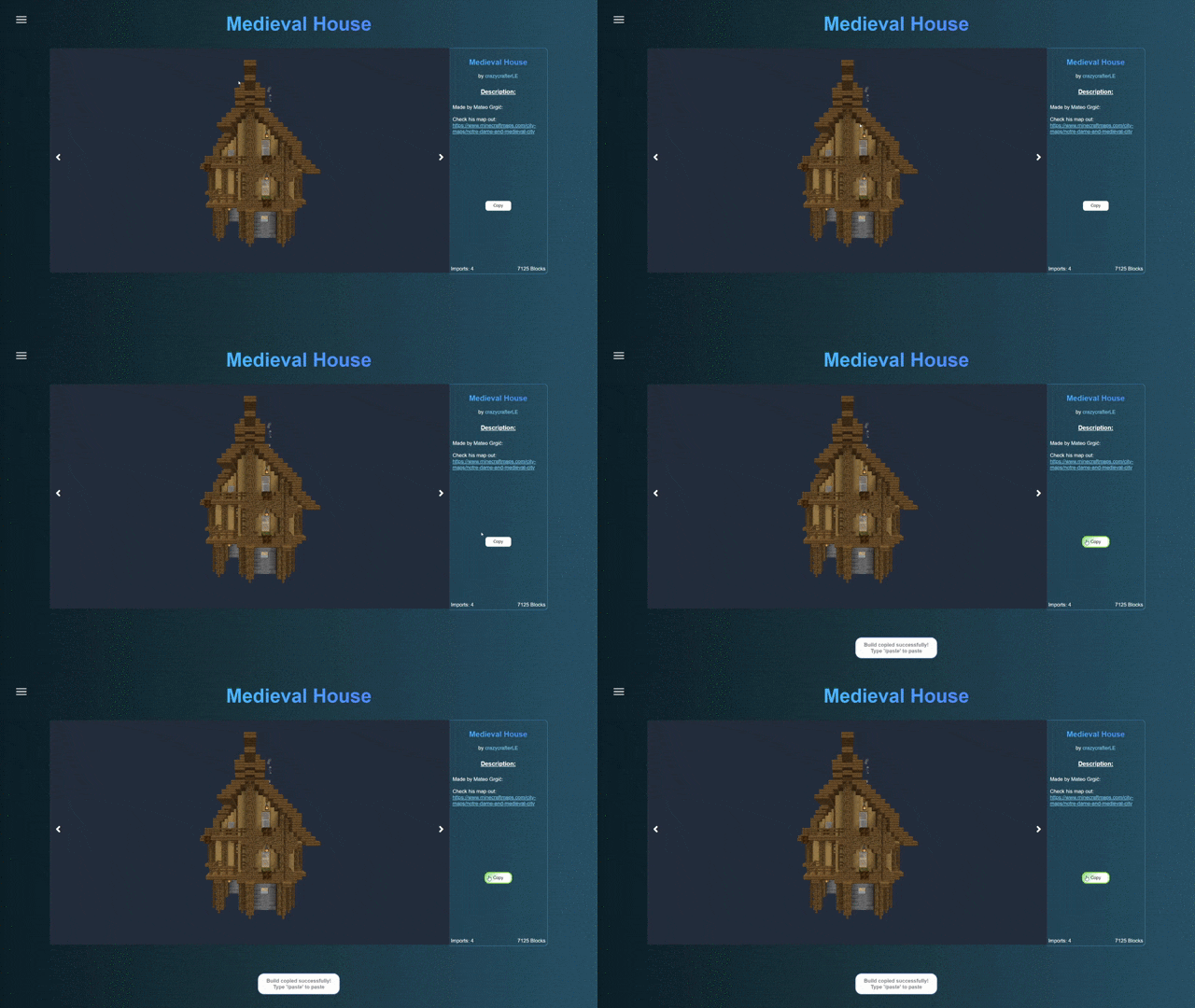
Copy Minecraft Buildings from buildpaste.net:
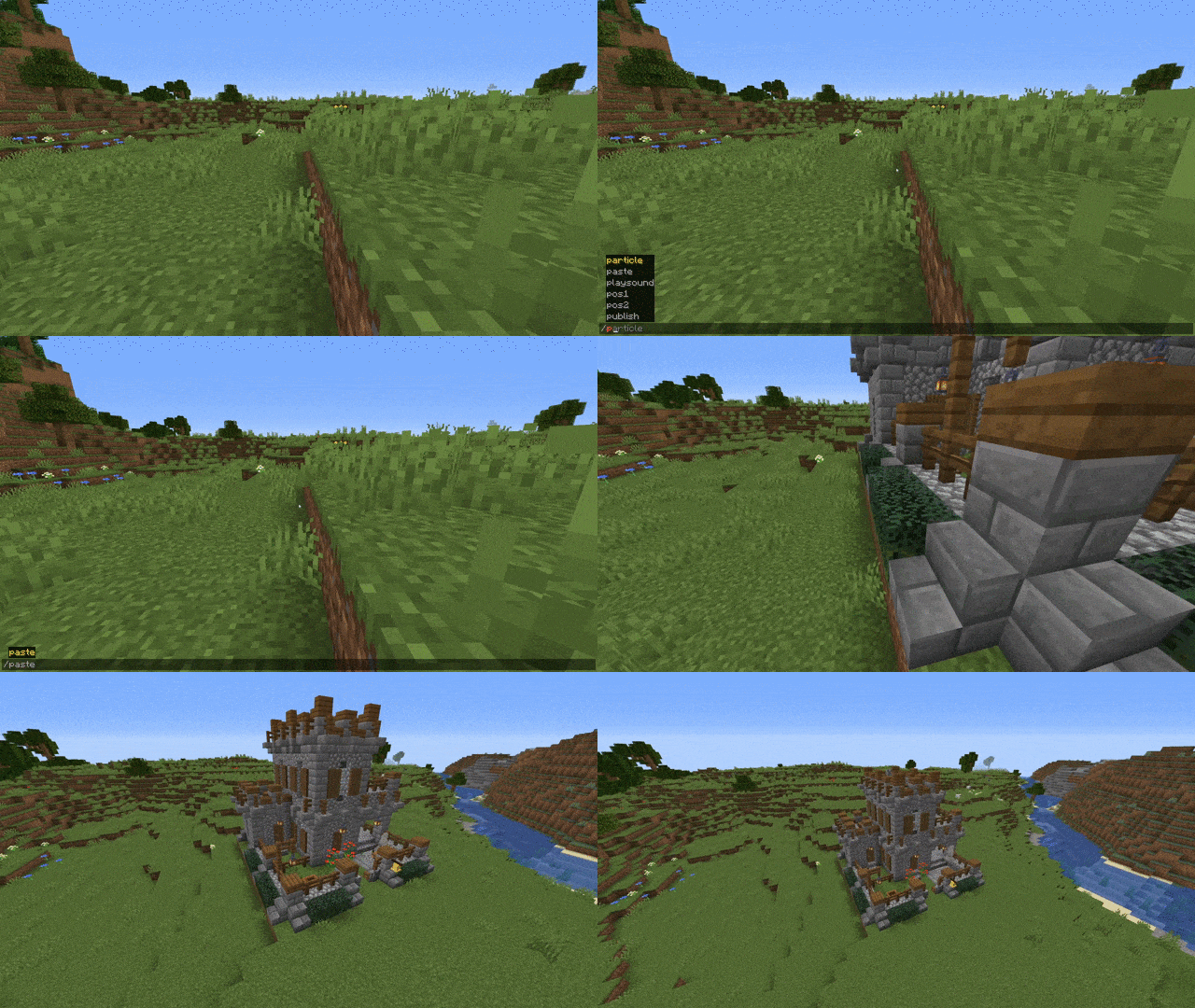
Paste Minecraft Buildings into your world:
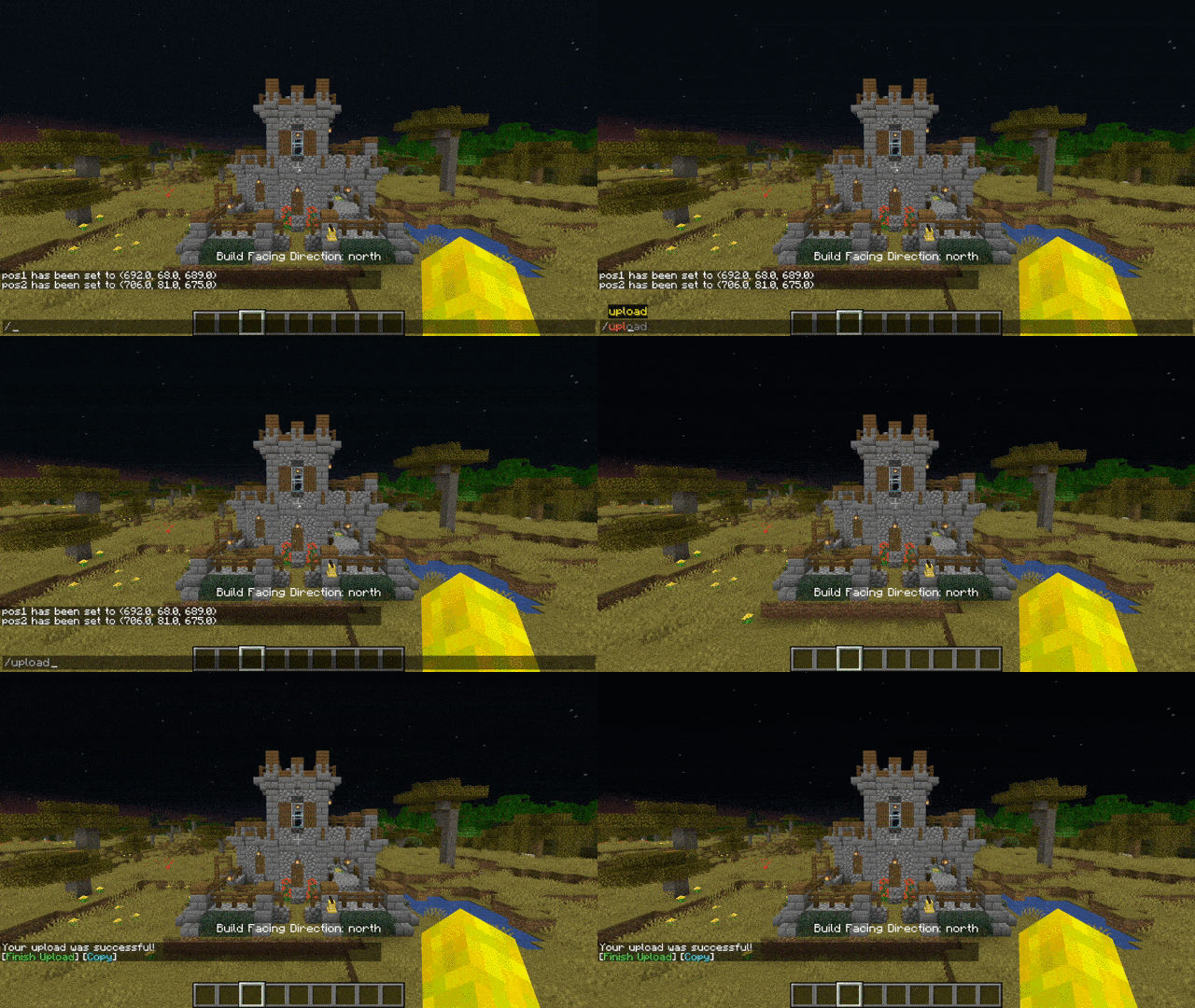
Upload Buildings:
Download as plugin: BuildPaste - Bukkit Plugins - CurseForge
Download as plugin on spigotmc.org: BuildPaste | SpigotMC - High Performance Minecraft
Installation:
Make sure that you are using the Java version of Minecraft.
1. Install Minecraft Forge
2. Download the BuildPaste Mod from this page
3. Put the BuildPaste Mod file into your mods folder
| VERSION | DOWNLOADED DATE | VERSION TYPE | TYPE | SIZE | GAME VERSION | DOWNLOADS | |
|---|---|---|---|---|---|---|---|
| BuildPaste_Fabric-1.21.11v1.8.1 | 05.02.2026 | fabric | R | 122 KB | 1.21.11 | 1 k | Download |
| BuildPasteFabric-1.21.10v1.8.0 | 10.01.2026 | fabric | R | 126 KB | 1.21.10 | 194 | Download |
| BuildPaste_Fabric-1.21.8v1.7.3 | 12.08.2025 | fabric | R | 130 KB | 1.21.8 | 1 k | Download |
| BuildPaste_Fabric-1.21.8v1.7.2 | 26.07.2025 | fabric | R | 130 KB | 1.21.8 | 48 | Download |
| BuildPaste_Fabric-1.21.5v1.7,1 | 11.06.2025 | fabric | R | 126 KB | 1.21.5 | 719 | Download |
| BuildPaste_Fabric-1.21.5v1.7.0 | 06.05.2025 | fabric | R | 126 KB | 1.21.5 | 441 | Download |
| BuildPasteFabric-1.21.4v1.6.6 | 15.01.2025 | fabric | R | 125 KB | 1.21.4 | 760 | Download |
| BuildPasteFabric-1.21.4v1.6.4 | 02.01.2025 | fabric | R | 125 KB | 1.21.4 | 79 | Download |

We couldn't open this item, please check if you have TLauncher running.
You have reached the maximum branch comments. Leave a comment above.
You must be logged in to perform this action.
Please fill in the field using Latin characters and numbers.
You have reached the daily limits for this operation. Try again tomorrow
На этой странице присутствует 18+ контент. Подтвердите, что вам есть 18 лет.
Are you sure you want to delete the comment?